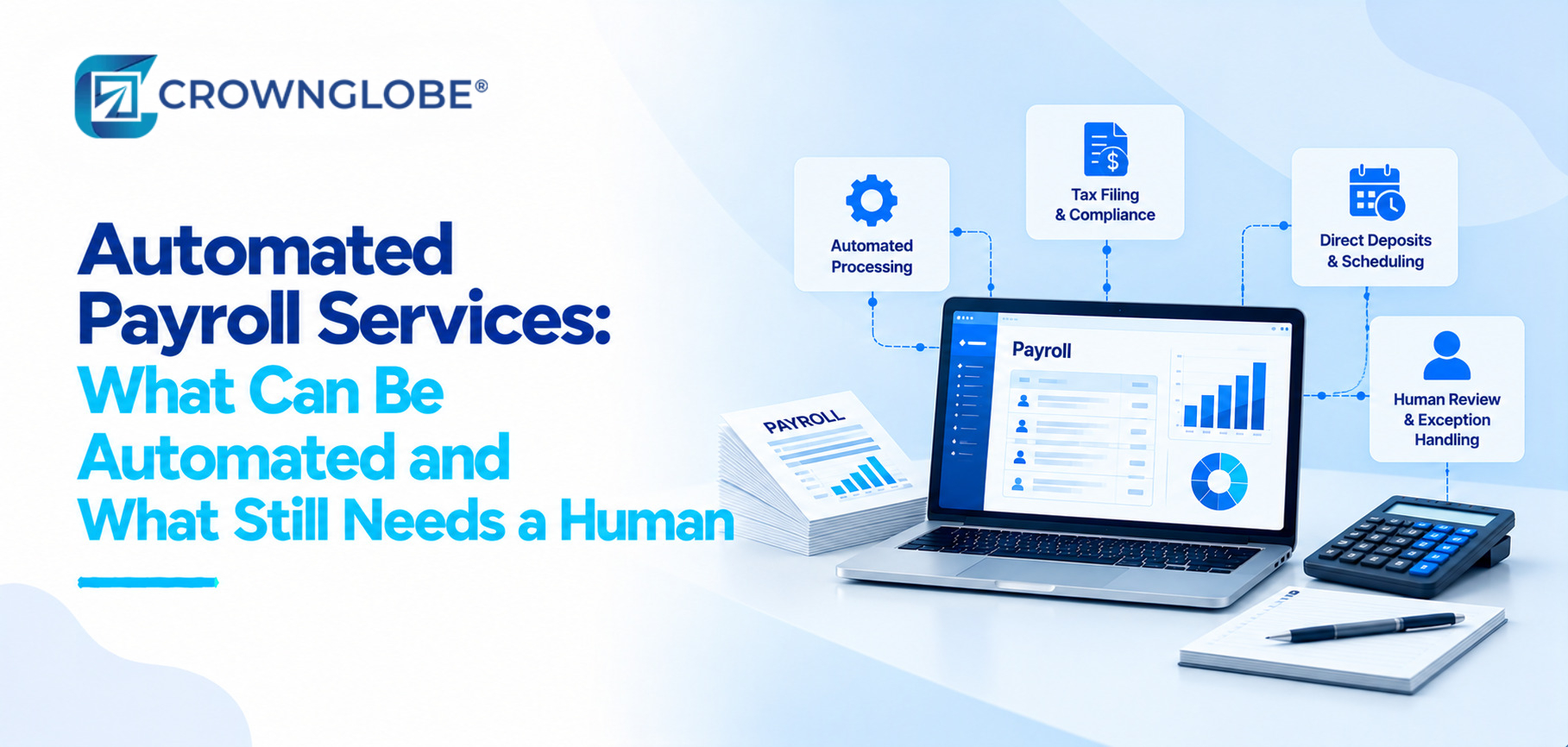
Payroll accountability can never be automated away. Exact numbers, set-up, approval, exception process and employees who understand when rules don’t apply will always matter.
I want a payroll process that runs consistently flags exceptions fast. Ensures a specific person reviews items before finalization of a payroll process.
Five Layers of a Payroll Automation Stack
Payroll automation is most effective when it is seen as an operating process instead of just one software feature.
A practical way to evaluate an automated payroll service is to look at the five layers, beneath the paycheck.
Every automated payroll result starts with source data.
This list includes employee details, worker status, pay rates, tax elections, time and attendance benefits, deductions, bank information and other payroll information.
Software can process information quickly. Cannot ensure its accuracy because errors, like missing time entries or outdated deductions can still pass through an automated workflow.
Industry-specific payroll requirements also matter because workforce structures, pay practices and operating requirements vary from one business to another.
Payroll software must have rules before Payroll software can apply rules consistently.
Some of those policies may include payroll dates, overtime policies, benefits, deductions, garnishments, taxes configuration, approvals and more company-related policies.
Routine rules are good, for automation when set up properly. The danger is assuming they will last forever.
Gross, to net processing is one of the automatable parts of payroll.
When the inputs and rules are right payroll technology can calculate wages, deductions, withholdings, employer taxes and net pay all, within the workflow.
Payroll service providers can automate deposits, payroll taxes, tax filing, employee paperwork and other similar processes through one process.
Capabilities vary by provider, plan, tax setup and jurisdiction check the automated feature to see what’s covered and what still needs setup, approval or monitoring.
For background on the underlying concepts, see payroll expenses and payroll taxes. Businesses with state-specific obligations can also use Crownglobe's state-by-state payroll guides.
The final layer contains payroll preview, exception review, approvals, tax and payment confirmation, payroll registers, accounting entries, record retention and employee questions.
Start From Ownership, Not the Software
First decide which activities should run automatically which should run with approval and which still depend primarily on judgment before comparing features.
The same principle applies beyond payroll. Crownglobe's broader guide on what to automate and what to keep manual applies the same control-first logic across finance workflows.
Automate Repeatable Rules
The important condition is that the rule is already clear and the source data is dependable.
Automate With Approval
Payroll preparation, deposit and selected tax workflows often fit this category and current payroll platforms commonly keep a review or approval step before paychecks are sent.
An automated payroll service is most useful when approval is built into the workflow of being added later.
Keep Judgment With a Person
Not every payroll question can be reduced to a standard rule.
Classifying workers, uncommon payments, hours in dispute, corrections, and worker worries may require information that software cannot offer.
Automation should surface situations quickly. Automation should not bury situations, in a normal payroll run.
Retain Employer Control
Outsourcing payroll tasks does not automatically move every payroll-tax responsibility away, from the employer.
Employers generally stay responsible, for employment-tax liabilities even when using regular payroll service-provider arrangements according to the IRS.
That makes verification important when the provider does the calculations, payments or filings.
Four Phases, in Order
Effective payroll automation is usually built in stages.
Moving straight into software configuration can automate a process instead of making it better.
Phase 1 Map the Current Payroll Workflow
Identify where the source documents for payroll information exist where the accounting entries are made how periodic computations are performed, who approves any modifications how. The process, for payments and filings.
It helps to tell apart payroll tasks that're repetitive from those that need human judgment.
Phase 2 Clean and Verify Source Data
Review the records of every employee, including their pay rate, classification, deduction, tax setup, banking information, and time related information before transferring them to the automatic process.
Moving data into better software still results in bad data, for the business.
Phase 3 Configure and Test
Once the procedures have been set, including the integrations and the approval process, perform a test run to verify the procedure.
Compare wages, deductions, overtime, taxes, net pay and direct-deposit totals, with the expected results.
A test pay run helps the business find any issues with how Things’re set up before they cause problems, for employees.
Phase 4 Go Live With Named Owners
The payroll manager reviews exceptions; the payroll supervisor approves the run; the HR representative answers employee questions; the finance team monitors filing and payment confirmations; the IT support team resolves integration failures.
Payroll Automation Configuration: What Runs Automatically and What Still Needs Review
The table below separates automation potential from control responsibility that remains around each activity.
| Payroll activity | Automation potential | Human checkpoint | Provider / plan caveat |
|---|---|---|---|
| Employee and time-data import | High when systems integrate | Verify approved source data | Integration dependent |
| Regular wage calculation | High | Review exceptions | Correct rules required |
| Overtime and variable pay | Often rules-based | Review unusual cases | Policy and state rules can add complexity |
| Benefits and deductions | High after setup | Validate changes | Integration and plan dependent |
| Direct deposit | High | Approve payroll and funding | Cutoff times vary |
| Payroll-tax calculation | Commonly automated | Verify setup and notices | Provider scope varies |
| Tax payments and filings | Often automated | Verify completion | Plan and jurisdiction dependent |
| Worker classification | Limited | Human judgment required | Do not delegate blindly |
| Off-cycle or retro adjustments | Partial | Review correction logic | Complexity varies |
| Employee disputes | Low | Human resolution | Not a rules-only task |
| Payroll-to-GL sync | High when integrated | Reconcile outputs | Mapping can fail |
| Year-end forms | Commonly automated | Review and reconcile | Employer oversight remains |
How to Compare Payroll Services Prices Without Comparing Apples to Oranges
When comparing payroll service costs first look at the structure, behind the quoted price.
A provider charges a base fee plus a cost per employee or per person. There may be extra charges, for implementation, time tracking multi-state HR features, off-cycle payroll, faster payment options year-end forms or service level.
Two payroll quotes that look alike at first can actually cover scopes.
Before comparing price, confirm:
- the base fee;
- per-employee or per-person charges;
- implementation or migration costs;
- time and attendance costs;
- multi-state or local-tax support;
- HR or compliance add-ons;
- support level;
- off-cycle payroll fees;
- expedited payment charges;
- year-end form costs;
- contract or cancellation terms.
For a broader provider-scope comparison, see full-service payroll versus basic payroll.
There is no single market price that applies to every automated payroll service.
What to Automate Around the Core Payroll Run
Payroll automation works better when pay run workflows are integrated into the operating process.
Time and Attendance Flow
Approved hours can flow directly from timekeeping to payroll when the systems are properly integrated.
That can cut down on entries but it doesn't take away the need to check for missing, late or disputed time.
Employee Self-Service
Employee portals move payroll requests out of email and manual administrative workflows making it easier, for everyone.
Workers can access pay statements update their information and get tax documents without needing help from an administrator each time.
Tax and Filing Workflow
Depending on the provider's scope and setup, automation may calculate taxes, prepare forms, make payments or submit filings.
Those capabilities should be evaluated by jurisdiction, plan and actual service terms rather than by a broad promise that “taxes are automated.”
Accounting Integration and Alerts
Payroll entries can flow into an accounting system when the platforms are integrated properly.
Exception alerts and sync monitoring can cut down on follow-up but the accounting output should still be checked when mappings, accounts or payroll structures change.
The Maintenance Schedule That Keeps Automated Payroll Reliable
Payroll automation needs attention because the business is always changing.
Employees. Go rates shift, tax registrations switch, benefits adjust, integrations refresh, payroll responsibilities move between people.
Why Automated Payroll Fails
Payroll automation often breaks at the edge of the workflow of in the simple arithmetic.
Common failure modes include:
- inaccurate employee or time data entering the system;
- payroll rules configured incorrectly;
- no named reviewer or approver;
- assuming automation resolves worker-classification questions;
- ignoring exception reports;
- assuming the provider now owns all payroll-tax responsibility;
- incomplete tax setup;
- agency notices that are not monitored;
- failed timekeeping or accounting integrations;
- comparing providers only by headline price;
- outdated access permissions;
- year-end totals that are never reconciled.
The answer is not to make payroll manual again.
The goal is to show exceptions and give each exception a person, in charge.
The goal is not maximum automation.
The goal is to automate the payroll process, with inputs, clear ownership, proper approvals and evidence that all required payments, filings and accounting tasks were completed.
Questions About Automated Payroll Services
Depending on the provider and plan, automation can handle routine wage calculations, deductions, direct deposit, selected tax calculations and filings, employee data flows, self-service and reporting.
The exact scope varies, so buyers should confirm which steps are automated, which require approval and which remain outside the service.
Human review is especially important for source-data changes, worker classifications, unusual compensation, corrections, exceptions, employee disputes, agency notices and final payroll approval.
A business should also verify important payment and filing confirmations rather than simply assuming completion.
Many payroll tasks can be heavily automated, but a reliable payroll process still needs ownership.
Someone must maintain the source data and rules, review exceptions, approve important outputs and respond when the normal automated workflow no longer fits the situation.
Payroll services prices depend on provider structure, workforce size, plan, included features and add-ons.
Compare base fees, per-person charges, implementation, time tracking, multi-state support, support level, off-cycle payroll and year-end services rather than relying on one advertised number.
Review the payroll preview, approved hours, material pay changes, exceptions, deductions, unusual compensation, funding totals and unresolved employee questions.
The exact review should reflect the company's payroll structure and risk areas.
Generally, no.
The IRS states that employers generally remain responsible for federal employment-tax liabilities when using ordinary payroll service-provider arrangements. Businesses should understand the provider's role, retain access to relevant records and confirm that expected deposits and filings occurred.
Sources & Further Reading
- Internal Revenue Service Publication 15 (2026), Employer's Tax Guide. irs.gov/publications/p15
- Internal Revenue Service Outsourcing Payroll Duties. irs.gov/outsourcing-payroll-duties
- ADP Payroll Automation. adp.com/payroll-automation
- Paychex Understanding Payroll Automation for Small Businesses. paychex.com/payroll-automation
- Intuit QuickBooks Automate Payroll: A Guide to Payroll Automation. quickbooks.intuit.com/automate-payroll
- Intuit QuickBooks Payroll Services Pricing. quickbooks.intuit.com/payroll/pricing
- Intuit QuickBooks Support Manage Automatic Payroll Tax Payments and Form Filings. quickbooks.intuit.com/payroll-tax-payments
- Gusto Pricing Plans & Fees. gusto.com/product/pricing
Crownglobe provides payroll processing, finance automation and accounting services, so this article is not disinterested.
Apply the same automation, control, pricing and provider-responsibility questions to Crownglobe and any other provider you are considering.
General-information disclaimer: This article is for general informational purposes only. It is not individualized legal, tax, payroll, accounting, HR, employment, compliance or financial advice.
Payroll requirements vary by workforce, jurisdiction, tax registration, provider arrangement and company policy. Consult appropriate qualified advisers for issues specific to your business.
Ready to Automate Payroll Without Losing Oversight?
The strongest automated payroll process is not necessarily the one with the fewest people involved.
It is the one where repeatable work happens consistently, exceptions are visible, approvals are clear, provider responsibilities are understood and someone still verifies that the critical outputs occurred.
If your payroll process still depends on repetitive manual work—or if you have automation without enough control—Crownglobe can help map the workflow and define the right operating model.