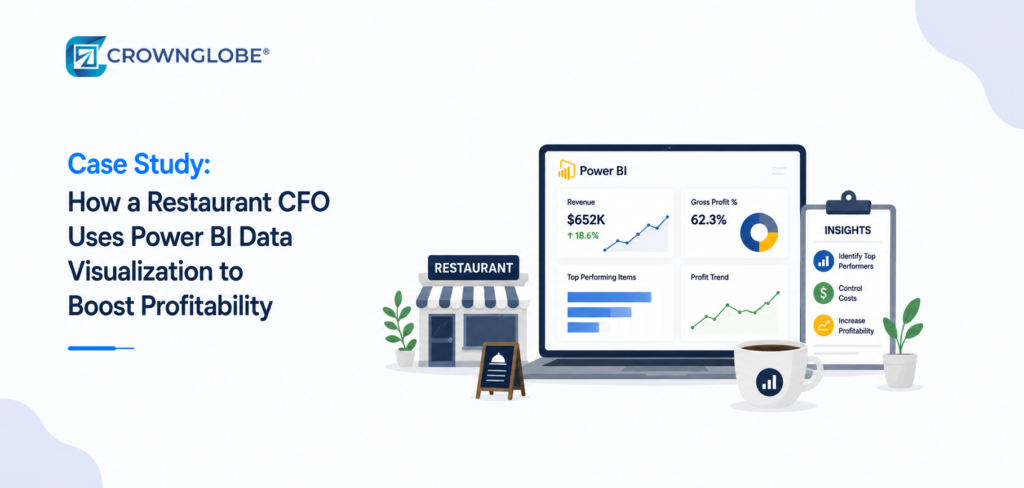
Restaurant businesses are tough because they must deal with things, like labor expenses and changing consumer demand, which makes it hard for them to make a profit without a clear picture of their finances.
Restaurant owners in places, like Texas, Florida and Georgia often find that traditional reporting methods cause problems than they solve for their restaurants.
That was exactly the situation one multi-located restaurant group faced before implementing Microsoft Power BI reporting dashboards.
The company operated several casual dining locations across Texas and Georgia. The revenue stayed the same. Making a profit got tougher even with more sales. The leaders thought that labor issues, wasting inventory, and different performance levels at locations might be the problem. However, they couldn’t clearly see the issues because the reporting process was too slow and disorganized.
The CFO realized the business needed more than better spreadsheets. It needed a connected financial reporting system built around real time visibility, operational KPIs, and faster decision-making using power bi dashboards and finance automation tools.
The Restaurant’s Biggest Financial Reporting Challenges
Before implementing Power BI, the restaurant group relied heavily on spreadsheets, POS exports, payroll reports, and manually updated operational summaries.
Over time, that created several recurring challenges.
Delayed Financial Visibility
Location managers often reviewed labor and profitability reports weeks after operational decisions had already been made.
Limited Profitability Tracking
The finance team could see total revenue but struggled to compare true profitability across locations, menu categories, operating shifts, and labor performance.
Rising Labor Costs
Payroll expenses continued increasing, yet leadership lacked clear visibility into overtime trends, staffing efficiency, and labor allocation between locations.
Inventory Waste
Food costs varied significantly across locations, but reporting gaps made it difficult to identify operational inconsistencies quickly enough to take corrective action.
Compliance Pressure
Managing payroll records, sales tax reporting, and financial documentation across multiple states placed additional strain on the accounting team.
The Chief Financial Officer understood that the company needed to improve visibility by using centralized reporting that connected accounting data, with how the company was performing every day.
Why the CFO Chose Microsoft Power BI
The restaurant group selected Microsoft Power BI because it could connect financial and operational systems into one centralized reporting environment.
The platform integrated directly with:
- POS systems
- Payroll platforms
- Accounting software
- Inventory management tools
- Vendor purchasing records
- Financial statements preparation workflows
Instead of manually gathering reports from different systems, leadership could now access live power bi dashboards that updated automatically throughout the day.
The CFO also valued the flexibility of power bi desktop and power bi desktop reporting tools, which allowed the finance team to customize each power bi dashboard around operational priorities while generating more accurate power bi reports instead of relying on rigid reporting templates.
What the Restaurant’s Power BI Dashboard Included
The goal was not simply to create visually appealing charts. The CFO wanted reporting dashboards that helped management make faster and more informed operational decisions.
The final power bi dashboard and project dashboard reporting system focused on several key operational and financial reporting areas.
Real Time Sales Reporting
Leadership could monitor:
- Daily sales by location
- Revenue by menu category
- Peak operating hours
- Delivery platform performance
- Average ticket size
This helped management identify stronger performing locations while adjusting staffing levels and promotional strategies more effectively.
Labor Cost Monitoring
One of the most valuable dashboard features tracked labor costs against real-time sales activity.
Managers could quickly monitor:
- Labor percentage by location
- Overtime trends
- Payroll expense fluctuations
- Staffing efficiency
- Shift performance
This became especially important as labor regulations and wage pressures continued evolving across multiple states.
Businesses using payroll processing and restaurant bookkeeping support often gain much stronger visibility when labor reporting is integrated directly into financial dashboards.
Quick Insight Block
Restaurants rarely lose profitability because of one issue but rather it declines gradually through small operational inefficiencies and real time power bi dashboards help leadership identify labor issues and other problems earlier.
Inventory and Food Cost Tracking Improved Significantly
Food cost control quickly became another major reporting priority.
The CFO used Microsoft power bi dashboards to compare:
- Inventory purchases
- Vendor pricing fluctuations
- Food cost percentages
- Waste trends
- Menu profitability
The reporting system revealed that certain locations consistently experienced higher inventory variance and weaker margins during specific operating periods.
Instead of relying on assumptions or delayed spreadsheets, management could now identify operational patterns using actual reporting data.
That visibility helped leadership improve ordering practices, strengthen inventory oversight, and create greater accountability across locations.
Better Visibility Into Multi Location Performance
Before implementing a centralized power bi service and broader power bi services environment, comparing restaurant performance between locations required manual reporting consolidation that often-delayed decisions.
The new dashboards allowed leadership to compare:
- Revenue trends by location
- Profit margins
- Labor efficiency
- Food cost percentages
- Payroll expense ratios
- Customer traffic patterns
This created a much clearer understanding of which locations operated efficiently and which locations required operational support.
For growing restaurant groups operating across Texas, Florida, Tennessee, North Carolina, and Illinois, centralized reporting often becomes essential as operations become more complex.
How the CFO Improved Forecasting and Financial Planning
One of the most valuable improvements came from stronger forecasting visibility.
The CFO combined historical sales trends, payroll data, and seasonal performance metrics into one financial dashboard system that supported more accurate forecasting and planning.
The finance team could now project:
- Future payroll obligations
- Seasonal labor requirements
- Cash flow needs
- Vendor purchasing trends
- Expansion planning scenarios
This allowed leadership to make faster and more informed decisions while reducing uncertainty around future cash flow management.
Businesses using virtual CFO and outsourced accounting support often benefit significantly when forecasting tools connect directly with operational reporting systems.
Compliance Reporting Became More Organized
Restaurants face increasing compliance complexity, especially when operating across multiple states and locations.
The reporting system also helped the finance team improve oversight around:
- Payroll compliance
- Sales tax reporting
- Financial statement accuracy
- Audit documentation
- Vendor payment tracking
- Year-end reporting preparation
This became especially valuable during year end finalization and annual checkup services when leadership needed organized reporting for tax filings, lender reviews, and financial audits.
The CFO also noted that stronger reporting visibility reduced the stress associated with preparing audit documentation and responding to financial reviews.
Why Simpler Dashboards Produced Better Results
The Chief Financial Officer found out that reporting systems that are too complicated are not very useful, for the Chief Financial Officer.
The finance team made a point to report on categories that directly affected the profitability and operational performance of the finance team.
The most effective dashboard designs included:
- Revenue trends
- Labor costs
- Food cost percentages
- Cash flow visibility
- Payroll expense tracking
- Profitability by location
- Budget versus actual performance
The goal was to simplify decision making, not overwhelm leadership teams with unnecessary data. The finance team also used customized power bi templates to standardize reporting across locations.
Strong examples of power bi dashboards are designed around business priorities and operational clarity instead of technical complexity alone.
How Power BI Helped Improve Profitability
The restaurant group saw improvements in many areas of how they worked within the first few months.
Leadership reported improvements in:
- Labor cost control
- Inventory oversight
- Reporting speed
- Operational accountability
- Financial visibility
- Forecasting accuracy
More importantly, the CFO gained faster access to operational insights that previously required days of manual reporting preparation.
That allowed the finance team to spend more time analyzing profitability and less time building spreadsheets.
Why Restaurants Are Investing More in Power BI Reporting
Restaurant businesses are still dealing with a lot of pressure from things like inflation and labor shortages and also fees from delivery platforms and rising operating expenses, for the restaurant businesses.
As a result, more restaurant groups are investing in:
- Power BI visualization
- Finance automation
- Outsourced accounting
- Remote accounting support
- Payroll processing
- Restaurant bookkeeping
The goal is not simply automation. The goal is creating stronger operational visibility that helps leadership make faster, more informed, and more profitable decisions.
Restaurant operators exploring broader reporting modernization strategies may also benefit from related resources such as How Power BI Data Visualization is Transforming Financial Reporting for Texas Small Businesses and Power BI Data Visualization Trends: A CFO’s Guide to Compliance and Reporting in 2026.
Why Businesses Work with Crownglobe for Power BI and Restaurant Financial Reporting
Technology alone does not solve restaurant reporting challenges. Businesses also need accurate bookkeeping, operational oversight, structured financial reporting, and CFO level interpretation of the numbers behind the dashboards.
Crownglobe helps restaurant businesses combine:
- Power BI visualization
- Restaurant bookkeeping
- Payroll processing
- Outsourced accounting
- Financial statements preparation
- Finance automation
- Virtual CFO support
This creates a more connected reporting environment where financial data supports real operational decisions instead of becoming another disconnected administrative process.
Conclusion
Restaurant profitability depends on visibility, timing, and operational control. Businesses that rely solely on delayed spreadsheets often struggle to identify financial issues before they begin affecting margins.
Microsoft Power BI is helping restaurant CFOs improve reporting visibility, monitor labor and food costs more effectively, strengthen forecasting, and support faster decision making across multiple locations.
When supported by strong accounting processes and experienced financial oversight, power bi dashboards become more than reporting tools. They become strategic systems that help restaurant businesses improve profitability while maintaining stronger financial control as they continue growing.
FAQ
How are restaurants using Power BI dashboards?
Restaurants use power bi dashboards to monitor labor costs, food cost percentages, revenue trends, payroll expenses, inventory performance, and profitability across locations in real time.
Can Power BI integrate with restaurant POS systems?
Yes. Microsoft Power BI can integrate with many POS systems, accounting platforms, payroll software, and inventory management tools to create centralized reporting dashboards.
Why do restaurant CFOs use Power BI?
Restaurant CFOs use Microsoft Power BI to improve financial visibility, automate reporting, monitor operational KPIs, and make faster profitability decisions.
Is Power BI useful for multi location restaurants?
Yes. Power bi dashboards help restaurant groups compare performance between locations while improving operational consistency and reporting visibility.
Do restaurants need Power BI training before implementation?
Basic power bi training can help teams understand reporting workflows, but many restaurant businesses work with outsourced accounting and financial automation specialists for dashboard implementation and reporting strategy.
How does Power BI improve restaurant profitability?
Power BI helps restaurants identify labor inefficiencies, monitor food cost trends, improve forecasting, reduce reporting delays, and strengthen operational decision making.